New Online Training Catalog for Emergency Communications
07-16-26
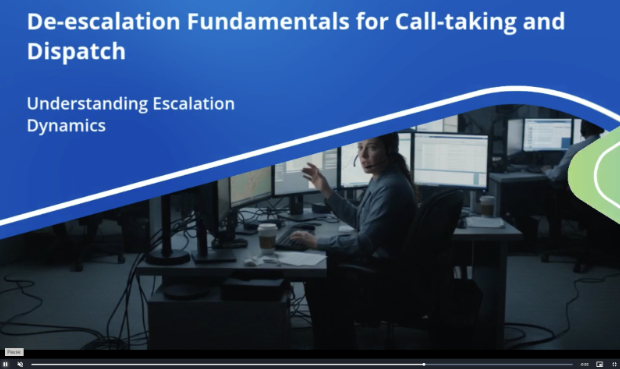
Vector Solutions is proud to release a brand-new catalog of comprehensive online training courses for emergency communication centers (ECC) and public safety answering points (PSAP).
Created in partnership with industry experts, these courses can help agencies meet state mandated annual continuing education in states with mandated training hours, help telecommunicators meet training requirements for required industry certifications, supplement agency-defined training, and provide opportunities for professional development.
From Course Maintenance → Manage Courses, administrators can select Vector Courses from the embedded catalog. Vector course details are automatically pulled in, with select fields available for administrator configuration, including mandates and CE hours, consistent with current functionality. Customers without purchased content can access a read-only catalog view to preview Vector course content.
Admins navigate to Training Courses > Training Courses > View to access event management. Administrators can create and manage course events, invite participants, and track completion using the same workflow used previously for in-person and online events.
Learners launch courses directly from Training Tracker via Employee Roster Details or automated email invitation. Progress is automatically saved, allowing learners to pause and resume training, and completion status updates automatically once requirements are met.
Upon completion, certificates are generated automatically and can be viewed or regenerated as needed. The new My License tab in the Employee Roster allows learners and administrators to manage professional license information used for certificate generation. Vector courses appear as individual line items, with filtering, completion labeling, and certificate visibility to support compliance tracking.
User Management
07-08-26
.png)
We’re excited to launch a new User Permission Management feature in Training Tracker that allows admins to configure role-based permissions for Training Course Events, reducing friction and increasing user role customization. Configurable permissions include creating, deleting, or converting Training Course Events.
Public Open Registration Calendar
05-04-26
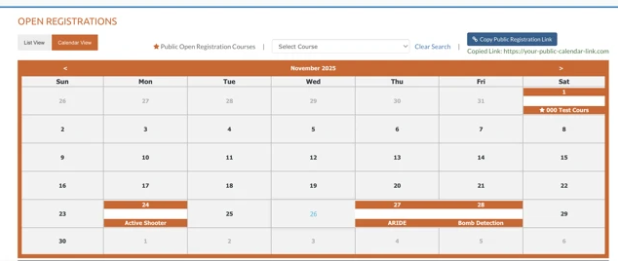
We’re excited to launch Public Open Registration, a new capability in Training Tracker that enables organizations to publish training opportunities and allow external users to browse and register—no login required. This new functionality simplifies the process for both administrators and users.
Once Public Open Registration is enabled, admins can provide external learners with a URL to a public calendar that will allow them to sign up for training via registration form. Admins can review and approve or deny registrations and even convert an Open Registration to a Training Course Event.
Vector Law Enforcement Course Catalog in Training Tracker
02-26-26
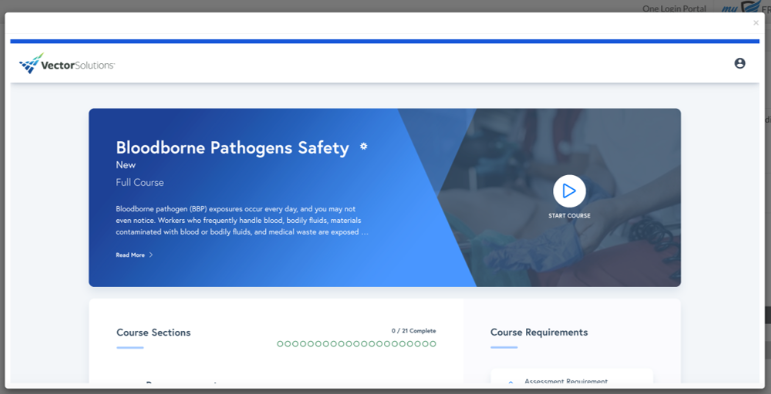
We’re excited to announce that the Vector Law Enforcement Course Catalog is now fully integrated into Frontline Training Tracker, enabling administrators to browse, search, and add Vector courses directly within the platform.
Depending on the state, Vector Solutions may be an approved training provider and/or provide automatic submissions of training completions to state certifying authorities on a monthly or bi-monthly basis. Even in states where Vector is not pre-approved, our content can still often be used to fulfil some or all of an agency’s state training requirements or provide agency-defined supplementary training to make sure officers are prepared and ready.
From Course Maintenance → Manage Courses, administrators can select Vector Courses from the embedded catalog. Vector course details are automatically pulled in, with select fields available for administrator configuration, including mandates and CE hours, consistent with current functionality. Customers without purchased content can access a read-only catalog view to preview Vector course content.
Admins navigate to Training Courses > Training Courses > View to access event management. Administrators can create and manage course events, invite participants, and track completion using the same workflow used previously for in-person and online events.
Learners launch courses directly from Training Tracker via Employee Roster Details or automated email invitation. Progress is automatically saved, allowing learners to pause and resume training, and completion status updates automatically once requirements are met.
Upon completion, certificates are generated automatically and can be viewed or regenerated as needed. The new My License tab in the Employee Roster allows learners and administrators to manage professional license information used for certificate generation. Vector courses appear as individual line items, with filtering, completion labeling, and certificate visibility to support compliance tracking.
Event Calendar
11-03-25
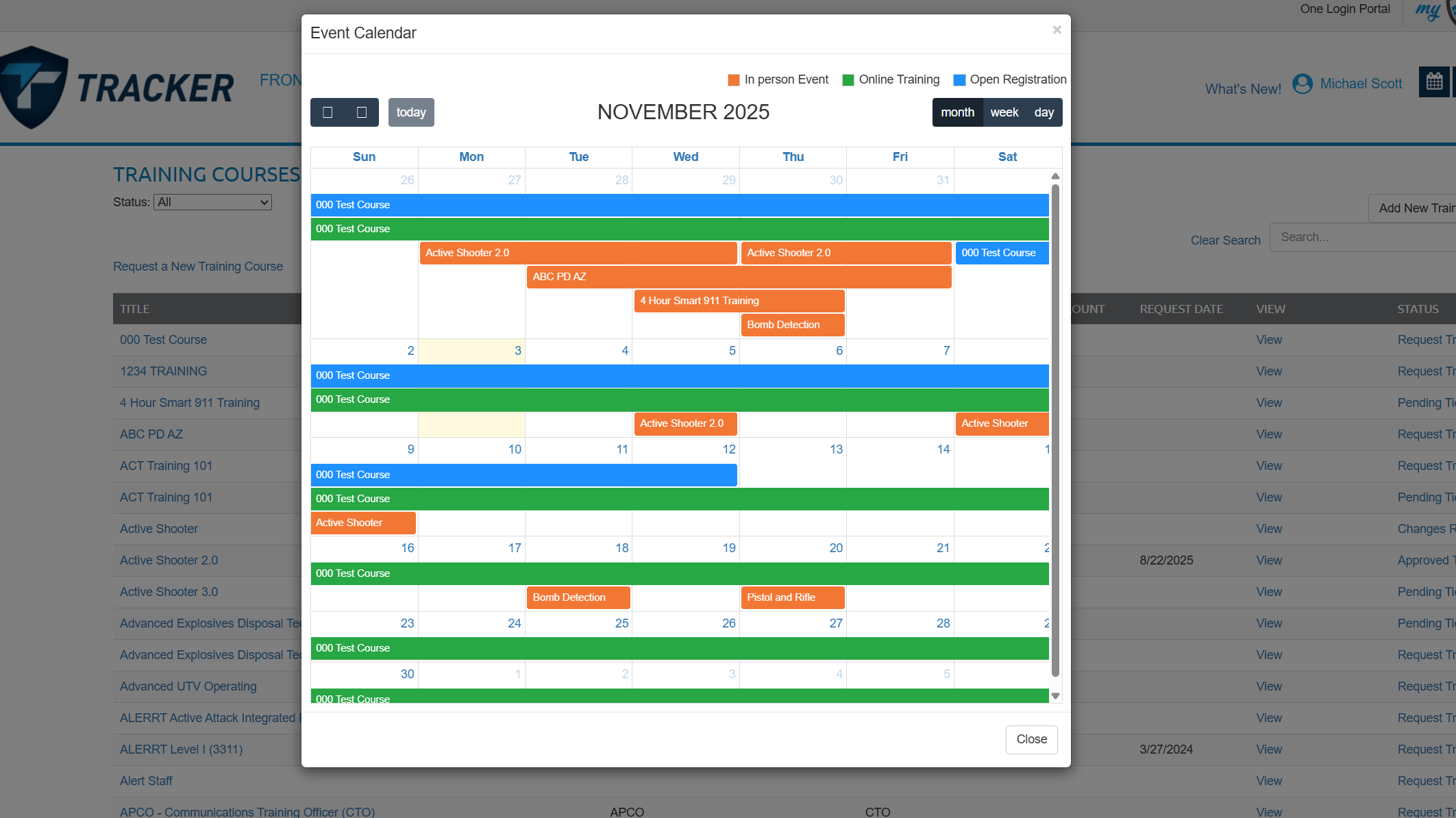
There is now an Event calendar, that shows all upcoming events, this is accessible in the top right of the screen, and in each employees roster.
Weapon and Equipment Import Function
07-11-25
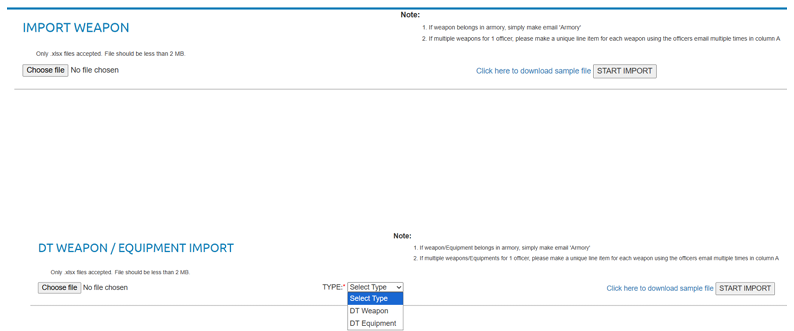
In the Manage tabs of your Range, and DT sections, you can now import your Weapons, and Equipment.
Start by downloading the Excel file, inputting the details in the preloaded columns, then save and upload.
You will get a dialog box that tells you if import was successful.
Open Registration
01-03-25
A video walkthrough on our recent addition, Open Registration.
Resend Surveys
12-10-24
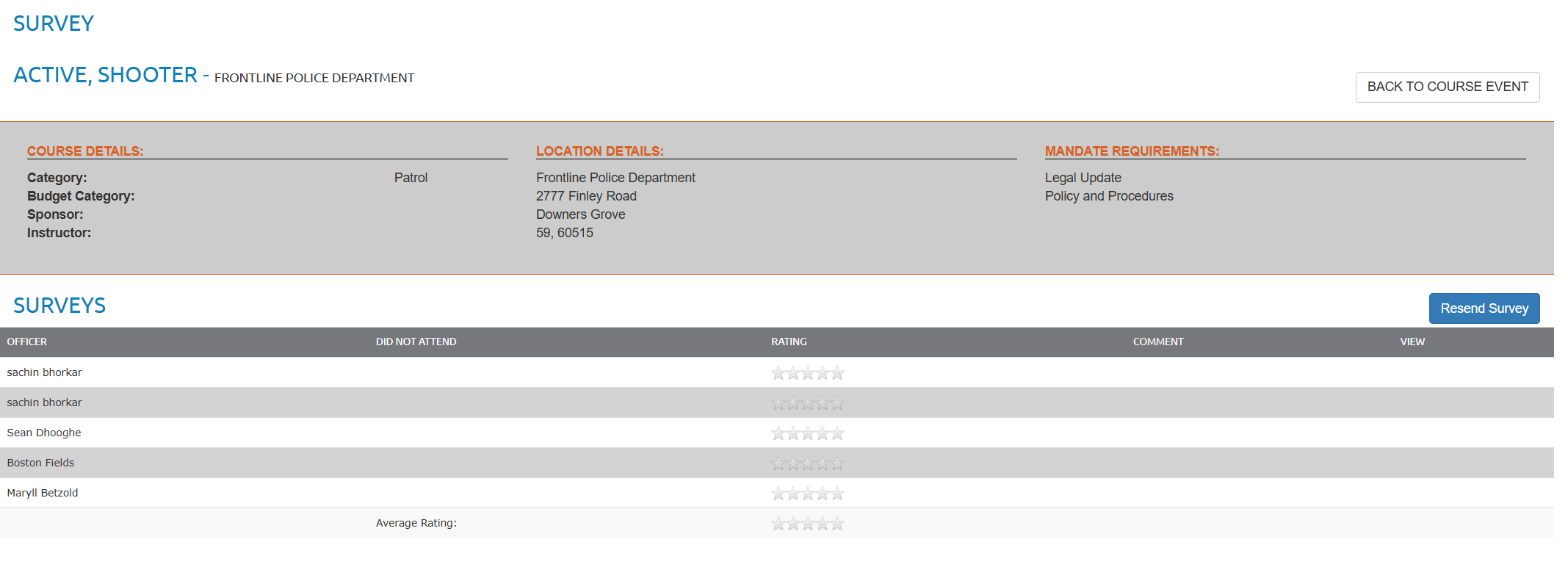
When viewing a Survery, there is now a "Resend" in the top right.
Equipment Image Upload
12-10-24
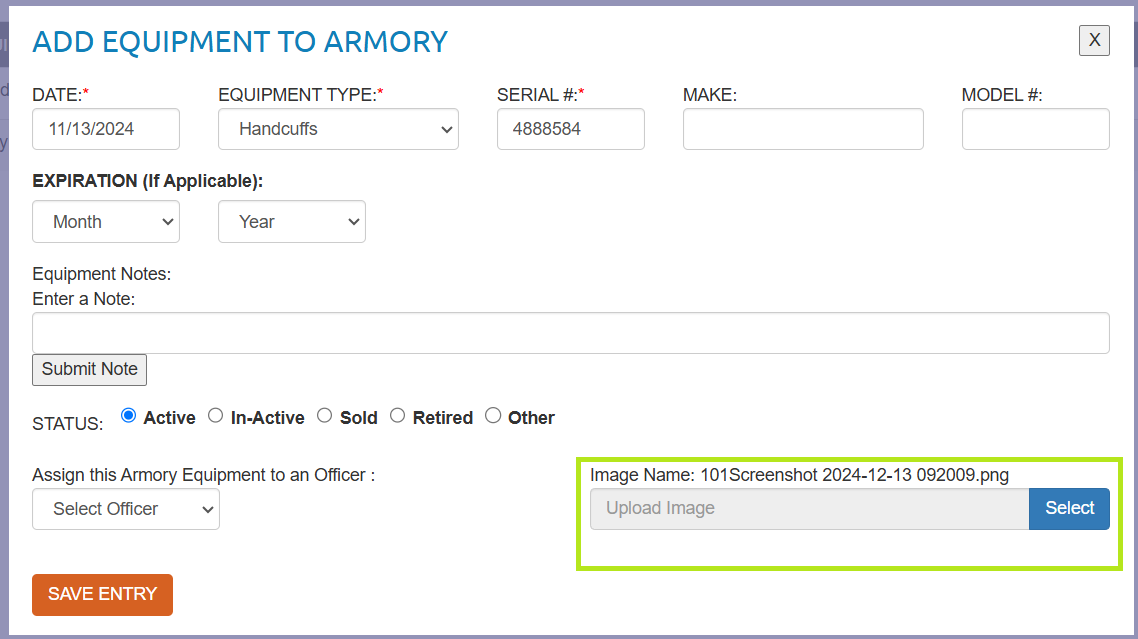
You can now add one image to equipment entries.
Instructor Hours Tab
12-10-24
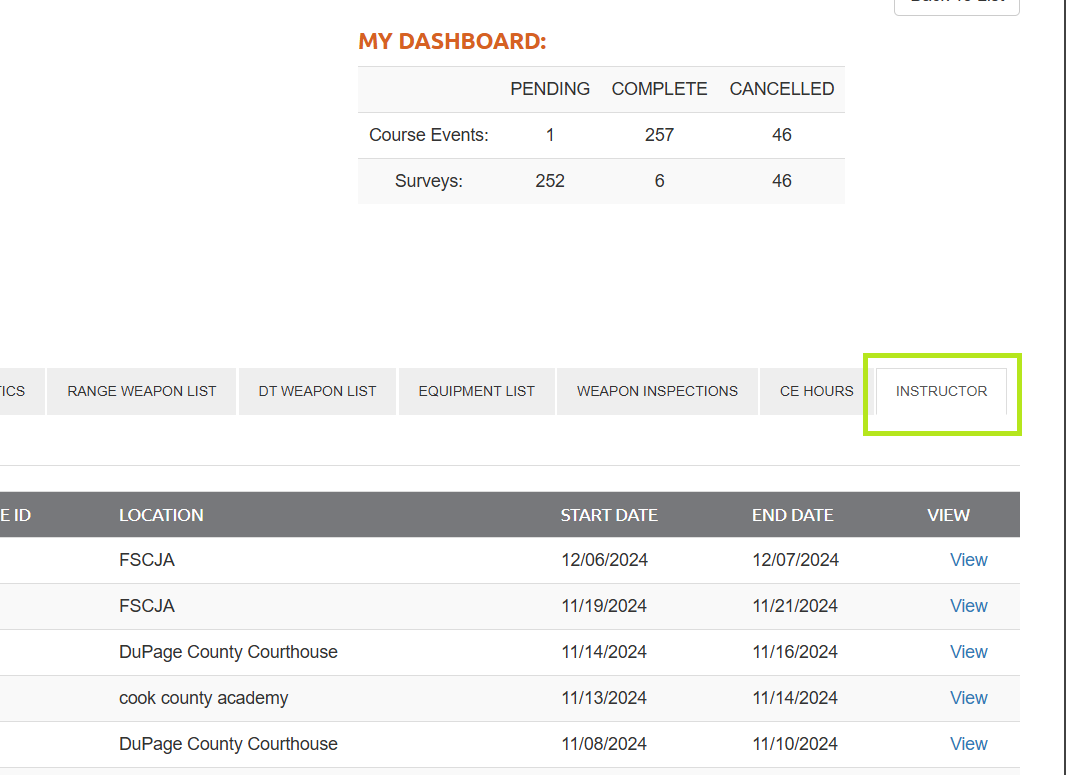
New tab in Employee Roster, will show all courses they have been an instructor on.
Mobile Sign-in and Allow Walk Ins
06-18-24
This video explains how to use the Mobile Sign-In QR Code.
General Certificates
06-14-24
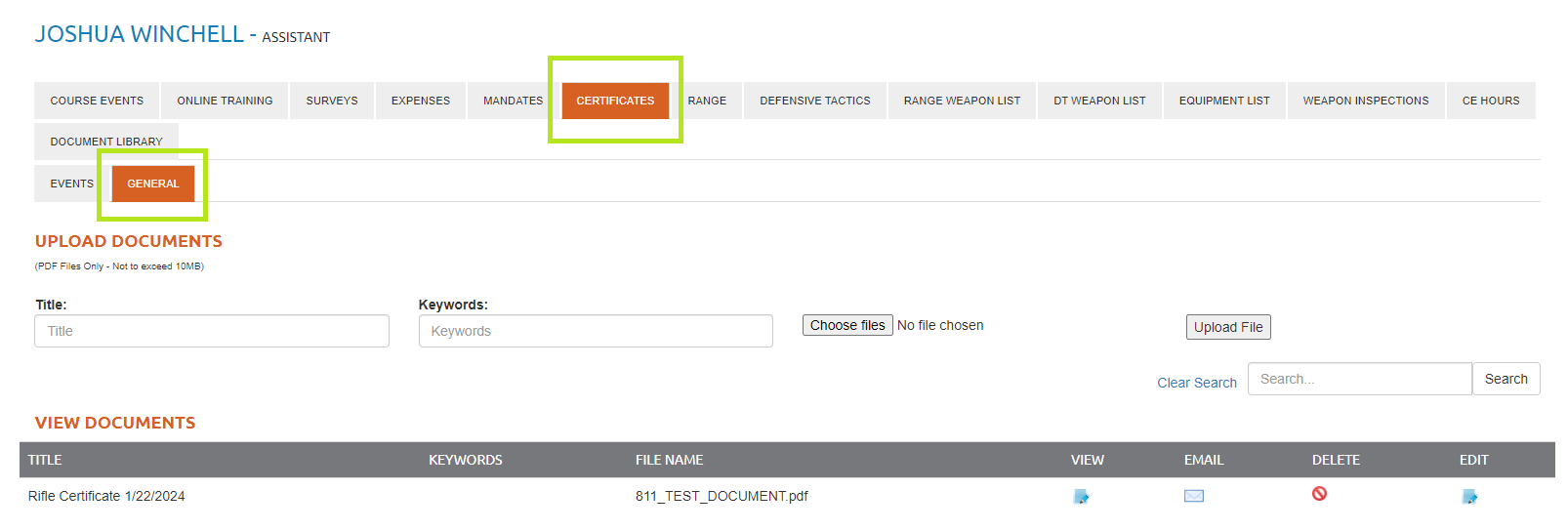
You can now upload general documents under the employee roster, for certificates that do not pertain to a particular course event.
Certificate Upload Permissions
04-16-24
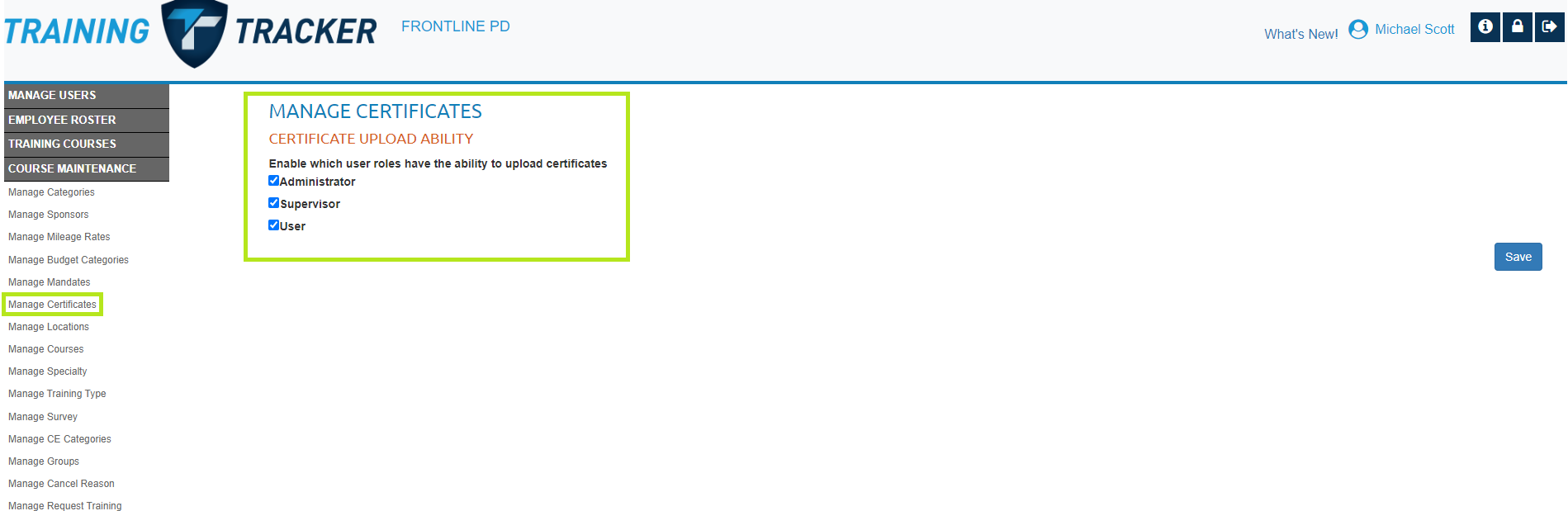
Set what user roles have access to upload certificates.
Go to Course Maintenance > Manage Certificates > Check box the user roles, and click save.
Export Weapon Inspection List
12-21-23
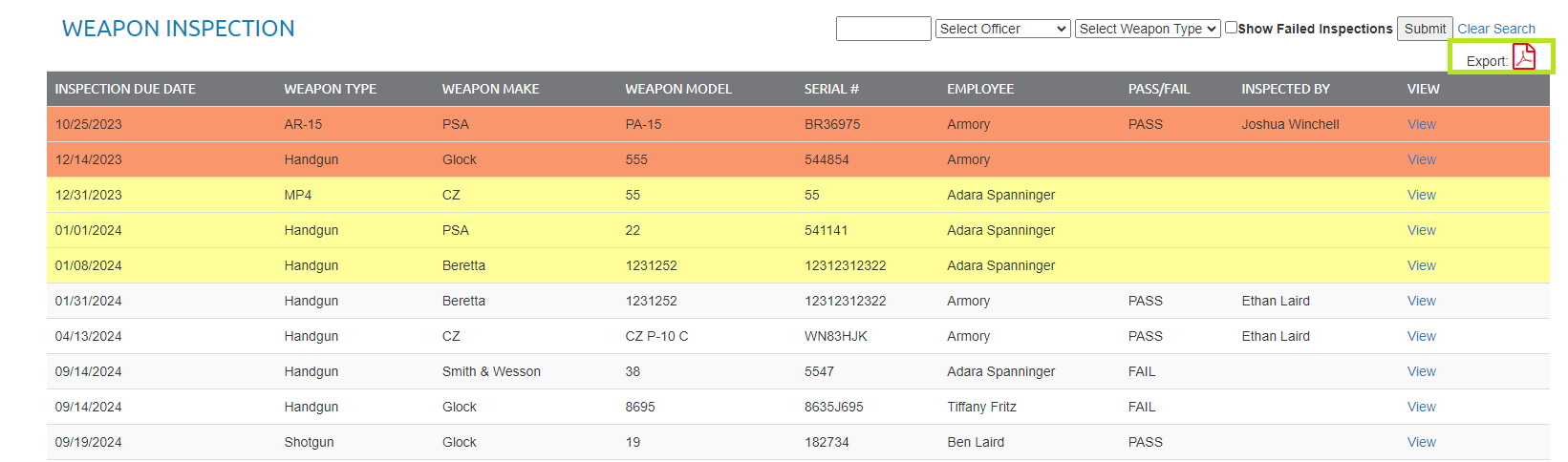
In your Weapon Inspections tab you can now export this list to PDF, in the top right of the screen.
Weapon Inspection - Inspected By
10-25-23
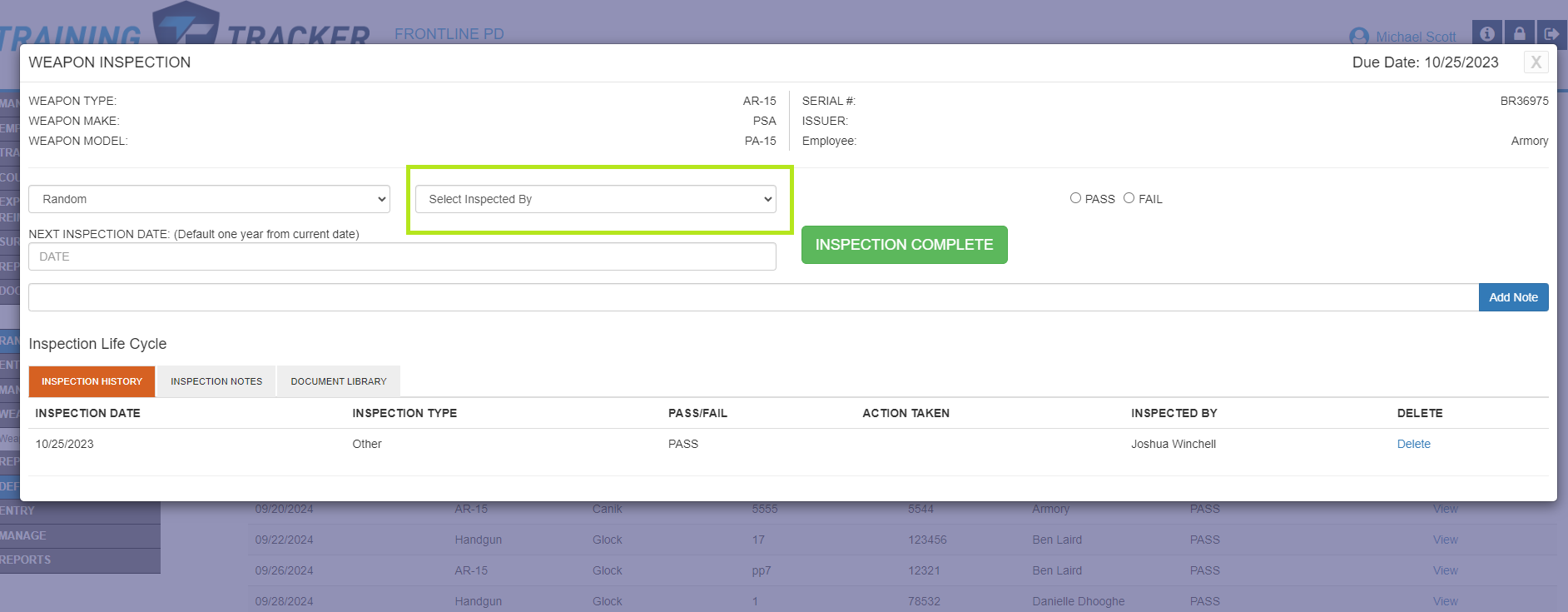
In the weapon inspection section, we have added a drop down field where you can choose who inspected that weapon.
Add Certificate # and Course ID to your events
08-31-23
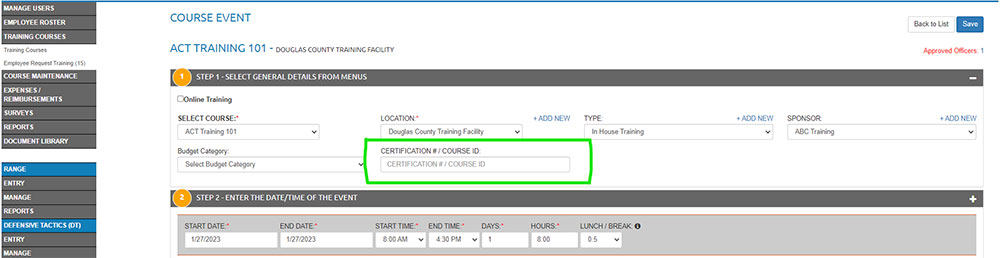
In training Tracker, we have added a “Certification #/Course ID field to the Course Event in the Step 1 section.